A saved game, from plan to repeat: illustrated walkthrough
Follow the whole saved-game procedure. Real screenshots currently cover planning and Review only—not a completed saved-game cycle.
For: New hosts and players
Before you start: requirements and access
- An account to publish and manage a saved game; guests can respond from its shared link. Screenshots use synthetic documentation details, not a real booking or real players.
- Capture status, 2026-09-05: planning and authentication handoff observed in the browser. Account creation and all later saved-game stages remain uncaptured pending a user-controlled signup email and any required verification. The separate Quick Play guide shows a completed device-local cycle, not proof of this saved-game lifecycle.
Steps
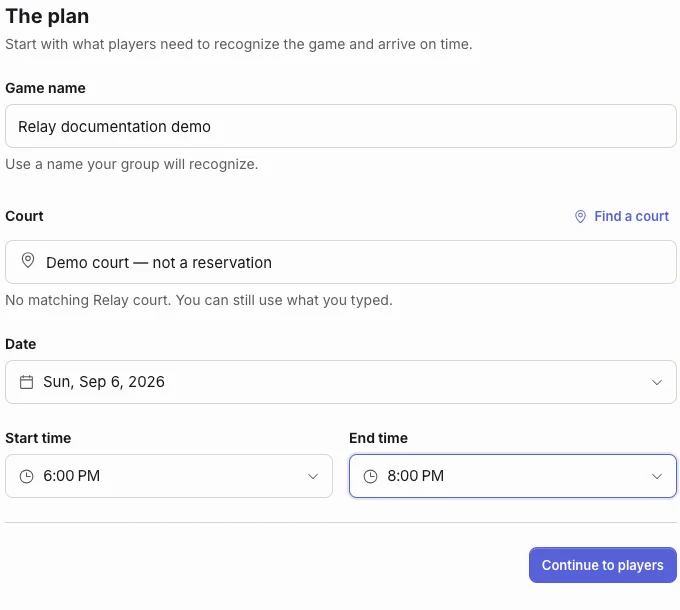
- Plan — captured. Open Create game and enter a recognizable name, court, date, and times. The example uses a manual Demo court, not a directory reservation. Complete Players and access with capacity and court count; choose link-only for a directly shared game. Add or skip optional Details.
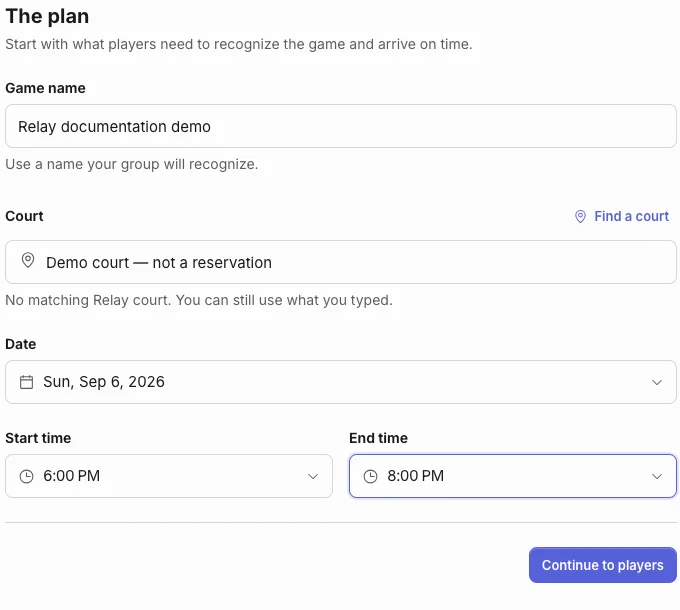
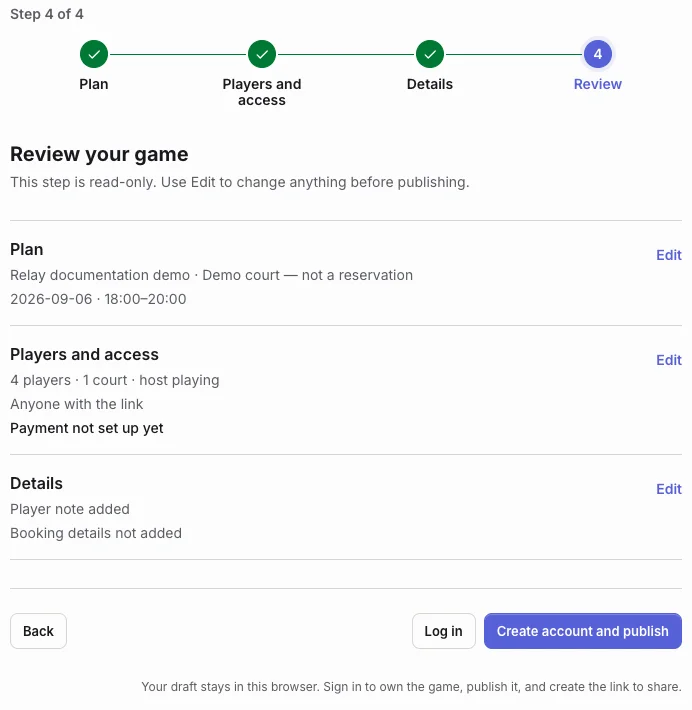
Actual local browser capture, desktop 1440 × 1000, cropped to the Plan fields. Synthetic documentation example; no booking was made. Select the image to read it full-size. - Review and account handoff — captured. Check the plan, access, price state, and details before publishing. Create account and publish opens signup with a return to the stored draft. Finish signup/verification and onboarding, then review and explicitly publish. This capture stops at signup: it does not show a created account or published game.
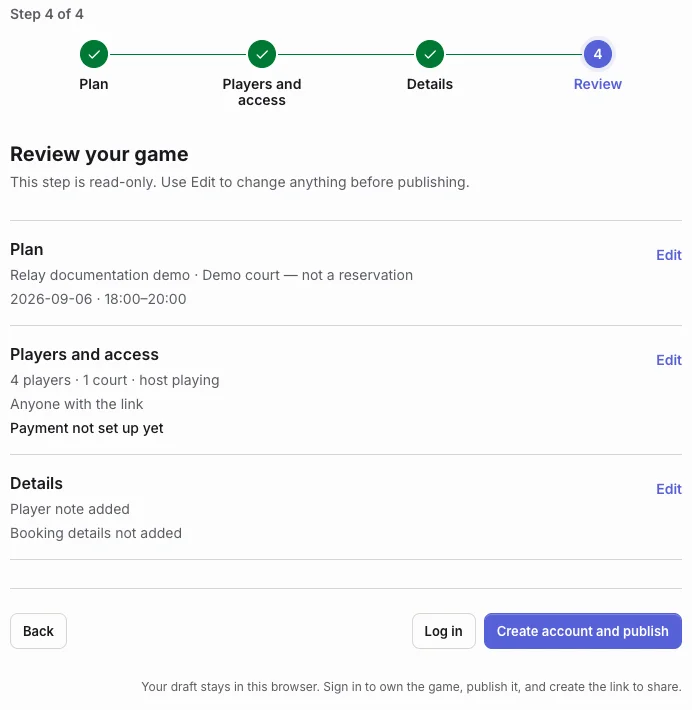
Actual local browser capture of Review. Payment is not set up, and publication still requires account creation/sign-in. This is not a published game. Select the image to read it full-size. - Publish and share — source instructions; not captured. After publishing, use Share game or Show QR for public/link-only games. For account invitations, open Play’s roster (use Players during live play), enter @username, select the correct account, and Invite. Do not distribute a private game's link as a public invitation.
- Join — source instructions; not captured. A guest opens the shared link, reads the plan and price, enters a recognizable name, and responds. Read the actual result: Going is confirmed roster capacity; Maybe reserves no spot; Pending waits for a host decision; Waitlisted is not confirmed attendance.
- Prepare the court and roster — source instructions; not captured. Confirm the external court arrangement. In Set up Play, review Players, Game options, and Review. At least four eligible players, resolved booking, and an open court are required; fix mode-specific constraints before Start Play. Repayment does not block Play.
- Score and finish — source instructions; not captured. Read the assigned teams, enter points or the final score using an authorized account, and choose Finish match. Review teams and the winning score before confirming. Resolve conflicts using the latest saved score; finish every active court before a synchronized next round.
- Coordinate repayment — source instructions; not captured. If truly free, set Player price to Free in Game settings → Invite before Play. Otherwise the host creates a collection in Payments, players pay externally and upload their own proof, and host/co-host confirms or requests replacement. No money was transferred and no proof was submitted for this walkthrough.
- Recap and repeat — source instructions; not captured. Finish active matches, then the host or designated lead ends the game. Play becomes Recap; Story exports supported factual imagery. The original host chooses Play again, supplies a new date, reviews, and publishes a fresh game. Old responses, booking, payments, chat, and scores are not copied.